


"She sat on the bathroom floor,
wearing his over-sized coat,
gripping her knuckles hard,
because when she kept clinging so hard,
he so easily let her go.
Maybe some day again, destiny will make him see, what he failed to keep."

"The ignorant are ignorant of their ignorance" by Peter Baskerville.
Check out more of Peter's quotes by visiting his profile here!
 |
| A federal agent and NASA consultant turned science fiction novelist; Ben Parris speaks about the power of words in our latest author interview! |
So you want to share a famous quote?
Why not put your own spin on it?
Why not put your own spin on it?
Why not rephrase it?
Quote & Quote’s “Rephrased" category lets you put your own spin on famous quotes! Re-write pop culture’s most iconic quotes in your own words, make them funny, make them sad, just make them your own!
How to Rephrase a Quote:
1. Go to the quote-image tool.
Quote & Quote’s “Rephrased" category lets you put your own spin on famous quotes! Re-write pop culture’s most iconic quotes in your own words, make them funny, make them sad, just make them your own!
How to Rephrase a Quote:
1. Go to the quote-image tool.
2. Pick the "Rephrase & Define" category from our tool's drop down menu.
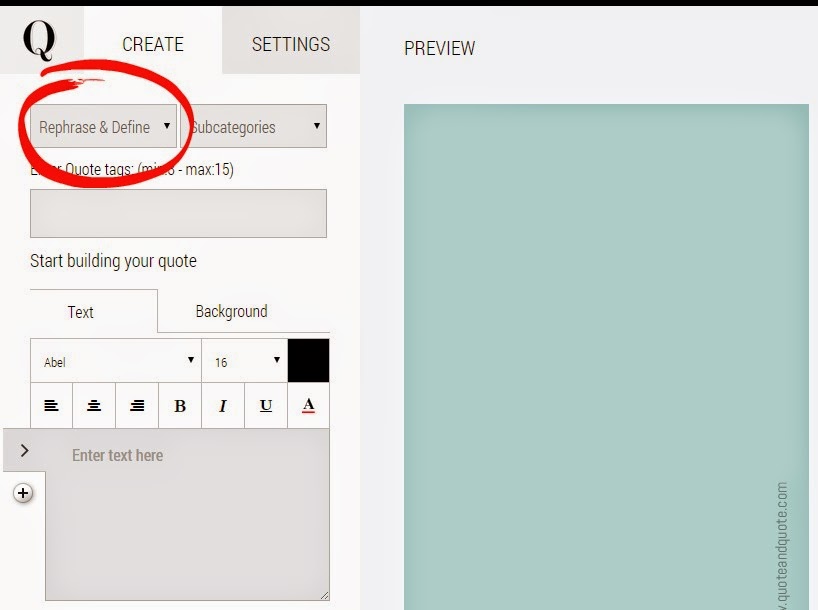
3. Write down and design your quote.
3. Write down and design your quote.
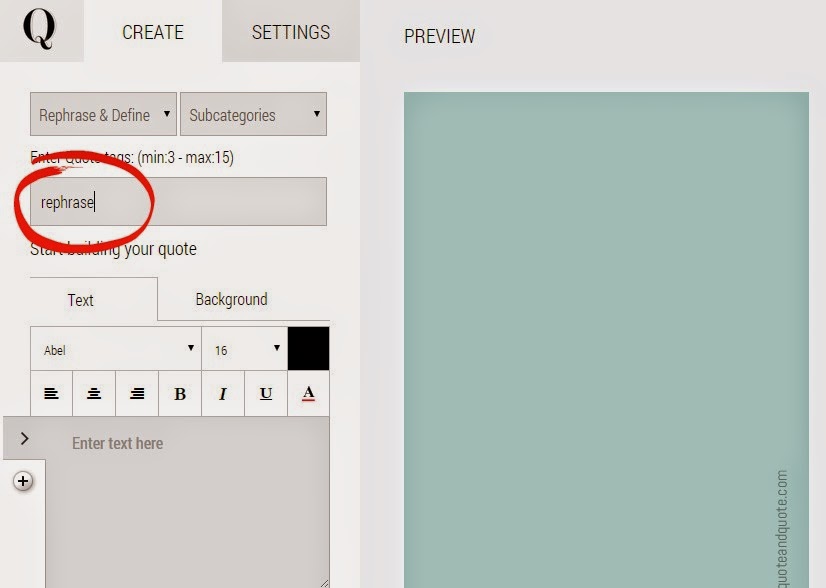
4. Add the word "rephrase" among your tags.
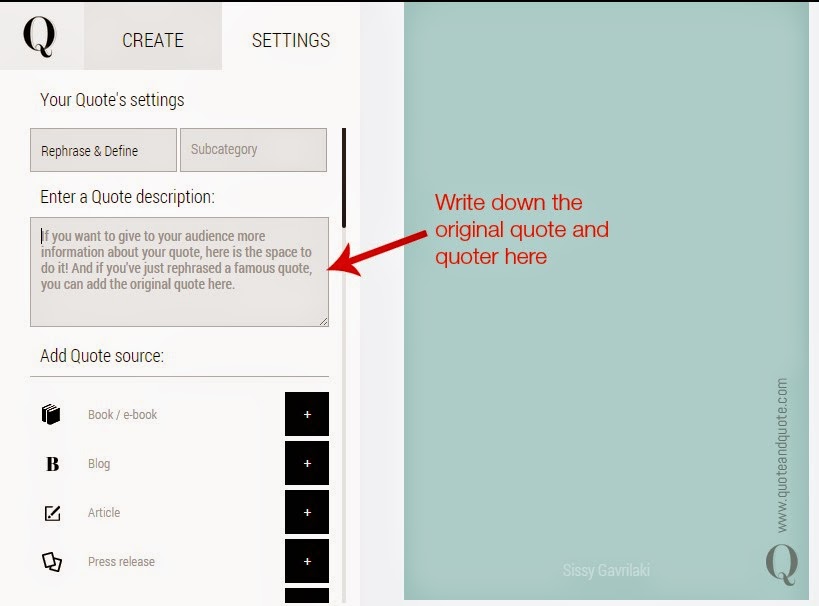
5. In the "Settings" section, write down the original quote and quoter in the "Enter a Quote Description" box.
5. In the "Settings" section, write down the original quote and quoter in the "Enter a Quote Description" box.
6. And publish your quote! Great job!
We have three exciting updates to announce, with many more to come in the following weeks!
1. Delete a Quote

You asked for it and our developers made it possible: You can delete a quote by pressing the "delete" button you'll find under your quote's tags!
2. Make a Quote Private

A"private" quote is a quote that only you can see. You can mark a quote as private by ticking the "mark as private" button in the quote-creation-tool or you can publish your quote and later on click the "make private" globe button that you'll find below your image's tags (see photo 1).

If want to turn a quote from "private" to "public", you can click on the globe button once more and your quote will be visible to all users.
3. Claim your Username:

You can now choose and set your page's unique public username (for example www.quoteandquote.com/John.Taylor). Go to "Profile Settings" and enter the name you want to use in the alias box.


